
How to make a weekly meal plan in 20 minutes
A weekly meal plan isn’t a diet and it isn’t a contract. It’s a short list that answers “what’s for dinner?” before you’re hungry and tired. Done right, it takes about 20 minutes once a week, or twice if you’d rather not plan the whole week at once, and it saves you the daily decision and the extra trips to the shop.
A weekly plan is made fresh each week, for the week you actually have: this week’s calendar, this week’s fridge, this week’s cravings. That’s what makes it flexible. (If your weeks look much the same, a rotating meal plan saves even more time. More on that at the end.)
Your 20 minutes
| Minutes | What you do |
|---|---|
| 5 | Check the calendar and the fridge |
| 10 | Pick the meals and plan the leftovers |
| 5 | Write the shopping list |
Pick a fixed time for it, ideally the evening before you shop. Sunday evening works for many people. A fixed time turns planning into a habit instead of a chore you have to remember.
1. Look at the week first, not at recipes
Start with your calendar, not a cookbook. Which evenings are busy? Who’s home for lunch? Is there a dinner out, a late meeting, a football practice?
Mark each day as one of three kinds:
- Cook day: you have time to cook properly.
- Quick day: 20 minutes or less, something from the freezer, or simply bread, cheese and a salad.
- Open slot: eating out, takeaway, or “we’ll see”. That’s allowed.
Most weeks have two or three quick days. Plan for them honestly, and the plan survives the week.
2. Open the fridge before the cookbook
Look at what’s already there: the half bag of spinach, the leftover rice, the cheese that needs eating. Plan one or two meals around it. This is where a weekly plan beats any fixed menu: it starts from what you have, not from a list you wrote a month ago.
The same goes for the season and the shop. If tomatoes are cheap and good this week, or there’s a deal on chicken, that’s your cue.
3. Fill the days with meals you already like
The fastest plan reuses what already works. Keep a list of five to ten meals your household likes and would happily eat again. Fill the cook days from that list, and put the quickest ones on the quick days.
Add one new recipe at most. New recipes take longer, need more shopping, and are the first thing to slip when the week gets busy. Put it on a relaxed evening, not on Tuesday after work.
4. Plan leftovers on purpose
Cook a bigger batch on a cook day and put the leftovers on a quick day. A pot of chili on Monday is Wednesday’s dinner or tomorrow’s lunch. A roast chicken on Sunday becomes Tuesday’s wraps.
Planned leftovers are the easiest way to cook less without eating worse. They also cut food waste. Eat them within two or three days, or freeze them.
5. Leave at least one slot open
A plan with every slot filled breaks the first time something comes up. Leave one evening open for leftovers, takeaway or whatever is in the fridge. If you don’t need it, nothing is lost.
6. Don’t forget breakfast
Breakfast is easy to forget and easy to plan, because most people want the same few things. Do you grab a croissant on the way, or do you have oats with fruit and yoghurt? Pick two or three breakfasts for the weekdays and put them in the plan, so the ingredients end up on the shopping list.
Make it the evening before: overnight oats or Bircher muesli take five minutes, and you can take them with you on the commute or eat them at the office. Save the slower breakfasts, like pancakes or eggs, for the weekend.
Lunch usually takes care of itself: cook one or two extra portions at dinner and you have a lunch box for the next day.
7. Turn the plan into one shopping list
Go through the planned meals and write down every ingredient you don’t have. Group it by where it is in the shop (vegetables, dairy, dry goods) so you can shop in one pass.
You already checked the fridge in step 2, so this list is short. That’s where most of the savings are.
8. Save a good week
When a week works well, keep it. Next time, start from that week instead of a blank page and swap a few meals. After a month you’ll have two or three good weeks.
Quick checklist
- Check the calendar: cook days, quick days, open slots.
- Check the fridge and plan around what needs using up.
- Fill the days from meals you already like, plus one new one at most.
- Plan leftovers onto quick days.
- Leave one slot open.
- Add breakfast.
- Make one shopping list.
- Save the week if it worked.
Weekly plan or rotation?
Both work, and many households mix them.
| Weekly meal plan | Rotating meal plan | |
|---|---|---|
| You plan | every week, from scratch | once, then reuse |
| Time per week | about 20 minutes | about 5 minutes |
| Best when | your schedule changes a lot, you like trying recipes, you cook with what’s on offer | your weeks look alike, you want fewer decisions, you shop at the same place |
A good start: plan weekly for a month, save the weeks that worked, and turn them into a rotation.
Doing this in MealTwine
MealTwine is built around these steps:
- Week view to see the whole week at a glance, or plan day by day.
- Your own recipes with ingredients, steps and a photo, or just a name when you’re in a hurry.
- Templates to save a week you like and reuse it.
- Shopping list for any date range: MealTwine collects the ingredients of every planned meal into one list, and you can add your own items. It’s free.
See the week, then shop
Tap Week at the top of the Schedule tab to see the whole week at a glance, the way you sketched it in step 1. Day zooms back in on one day.
Once the week is filled, the shopping list takes a few seconds: New shopping list in the Groceries tab, then Next week. It’s grouped by aisle, so you can shop in one pass.
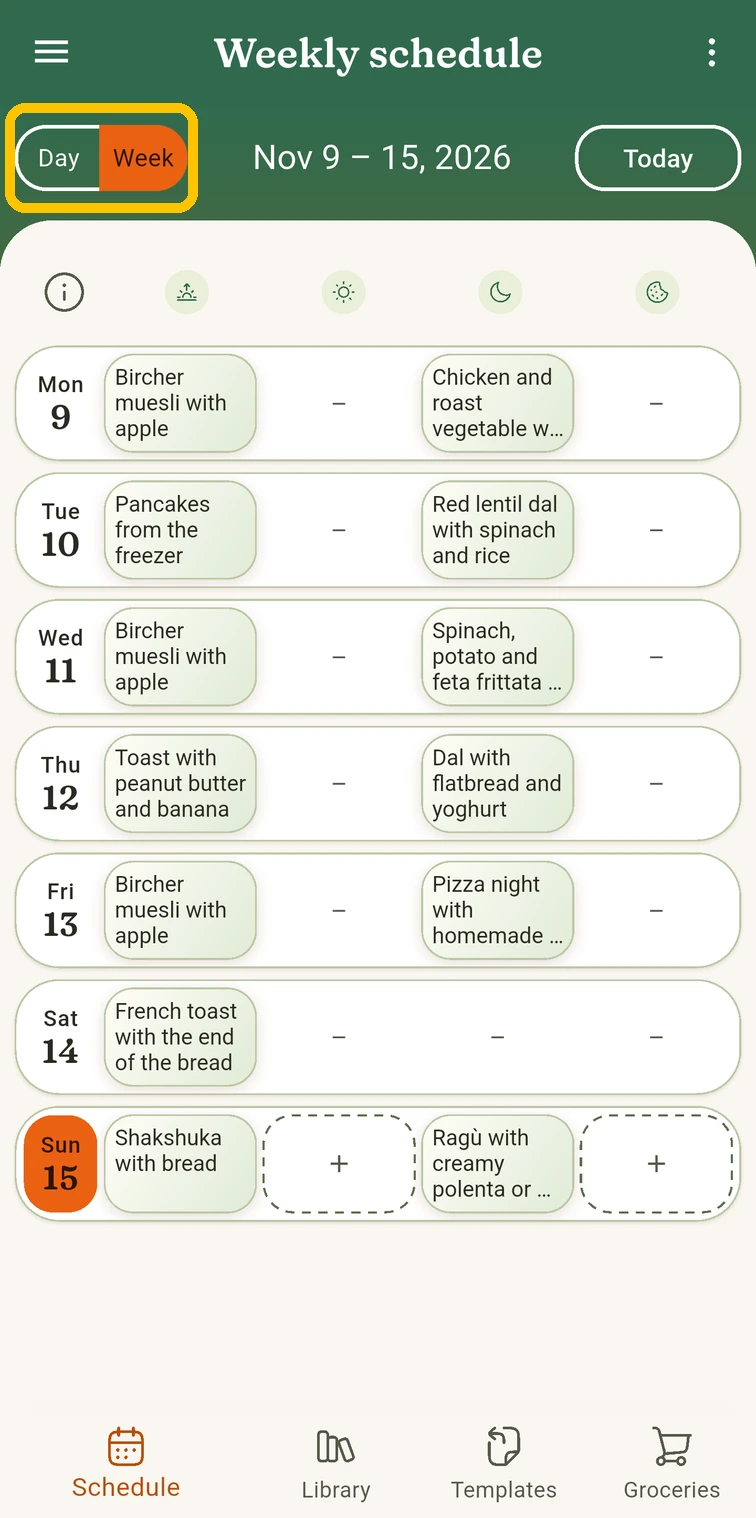 In Schedule, tap Week at the top
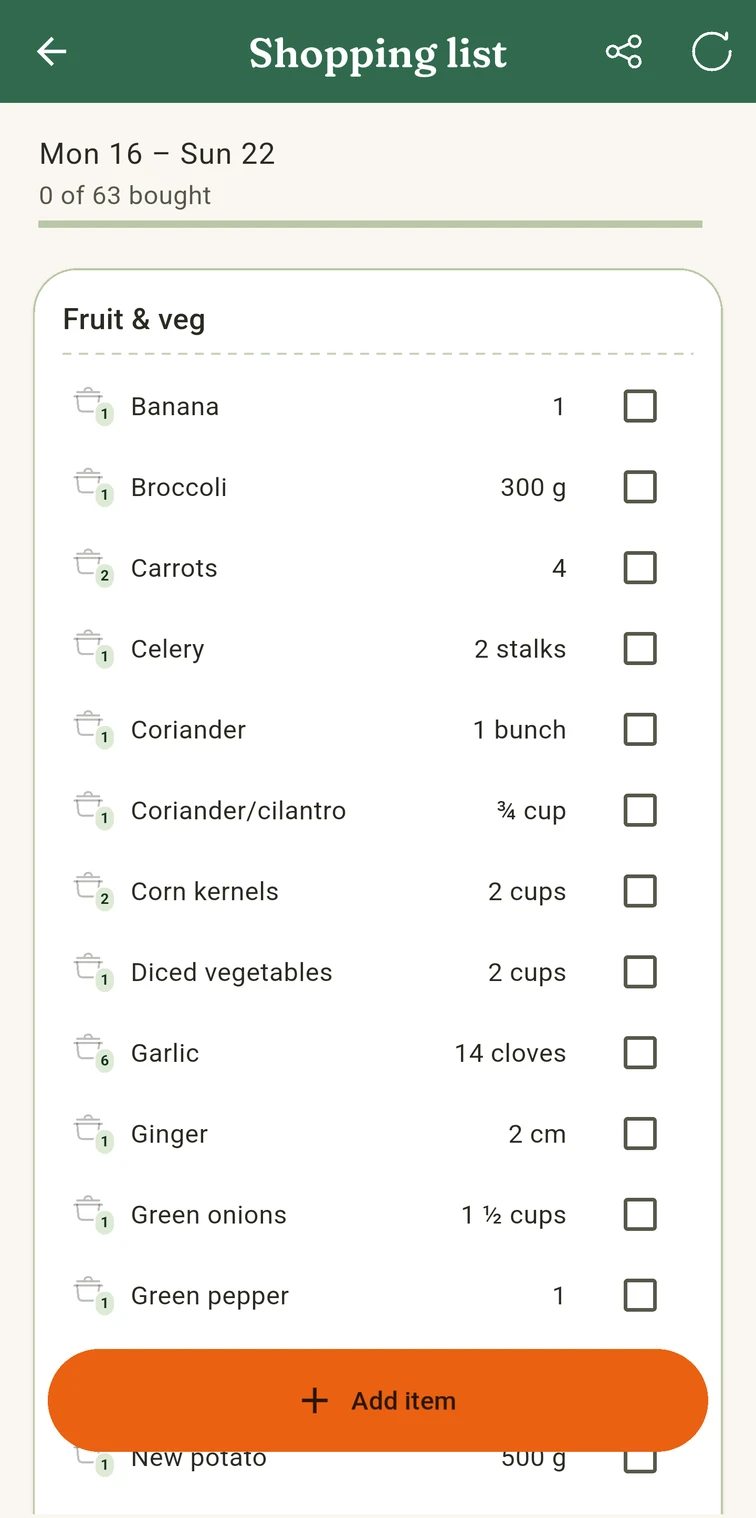 The shopping list, grouped by aisle
Had a good week? Keep it
The best weeks are rarely planned as “the perfect week”. They just happen: everyone liked the food, the leftovers worked out, nothing went to waste. In MealTwine you can keep such a week after the fact, as a template: in the Templates tab, tap New template and copy This week or Last week from your schedule. Custom dates… takes any other stretch, from a few days to several weeks.
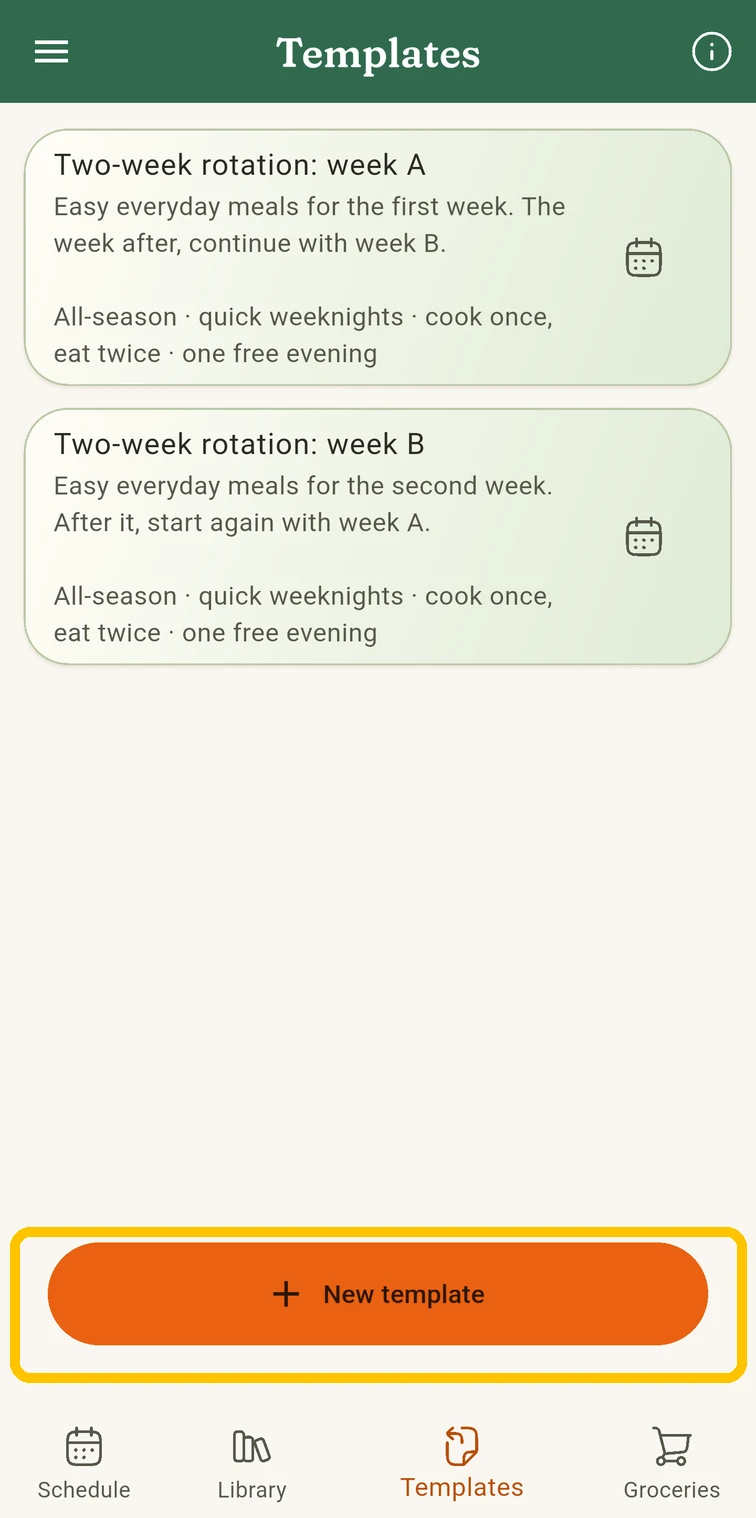 In Templates, tap New template
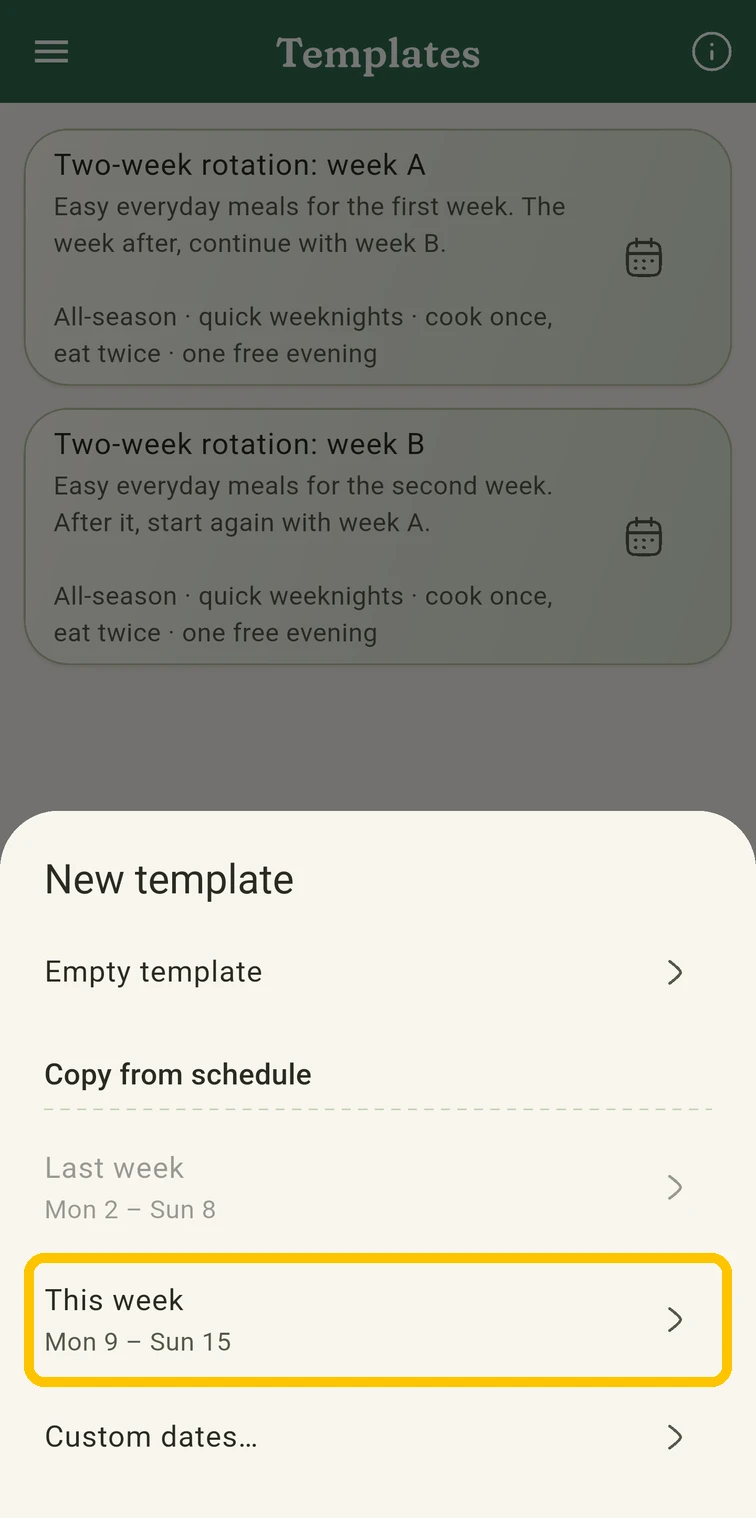 Copy This week from your schedule
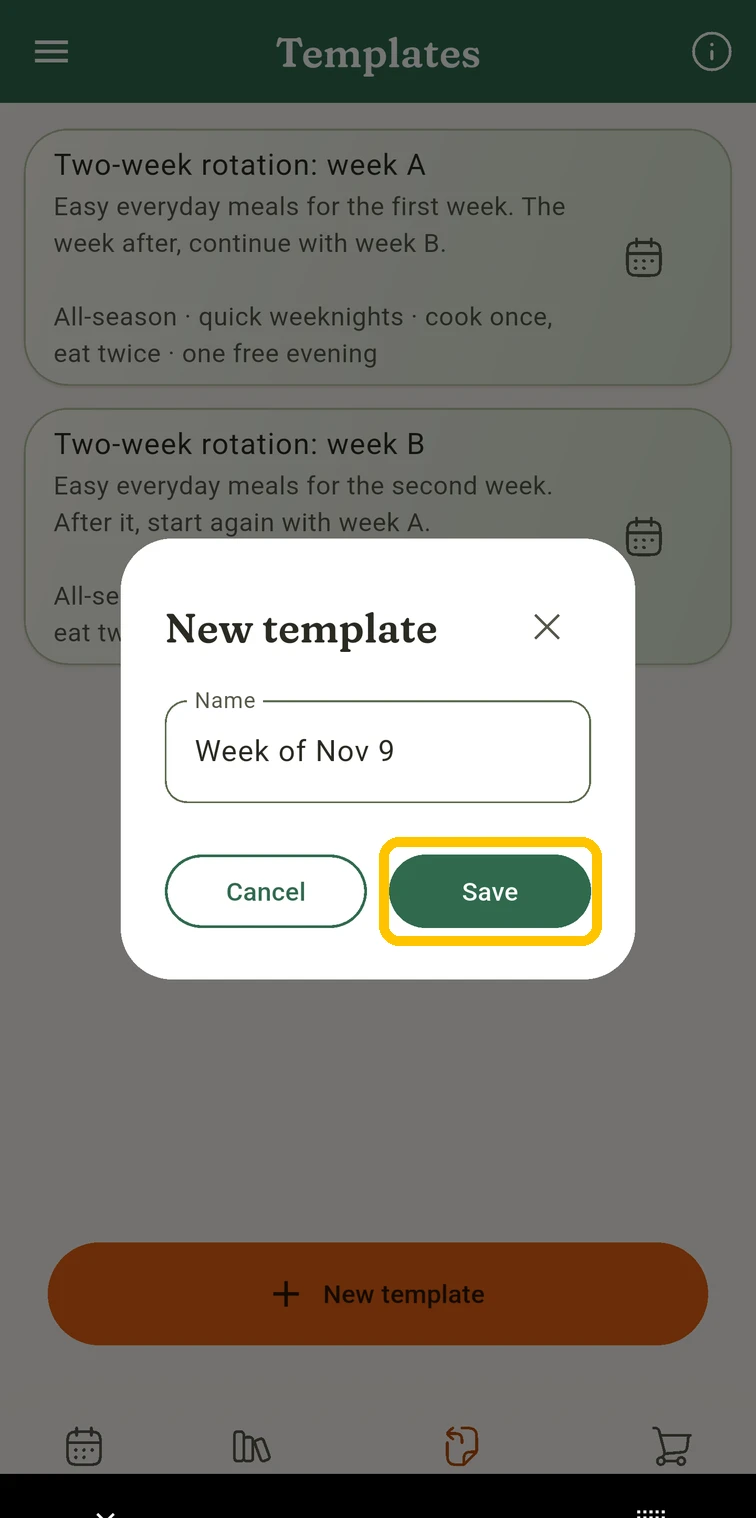 Give it a name and tap Save
Next time, put the template on the coming week, swap a meal or two, and the shopping list follows. Here’s how that works, step by step.
Do that two or three times and you have a rotating meal plan without ever sitting down to build one. Want a head start? Use one of our example rotations: all-season or winter with Christmas.