
Rotating meal plan: plan once, reuse for months
Most households eat the same 15 to 20 meals most of the time. A rotating meal plan goes one step further and turns that habit into a system: you plan two to four weeks once, then cycle through them. Planning a week becomes a five-minute check instead of a blank page.
A weekly meal plan asks “what do we eat this week?” every week. A rotation answers it once, for months. It takes a bit more work up front and much less afterwards.
Why rotate
- Fewer decisions. “What’s for dinner?” is already answered.
- Faster shopping. The same weeks mean the same lists, so you learn the shop.
- Faster cooking. Meals you make every two weeks become meals you can make without a recipe.
- Less waste. You know which ingredients come back, and plan meals that share them.
- Still flexible. A rotation is a starting point, not a rule. Swap anything, any week.
One week or four weeks?
| Rotation | Good for | Watch out for |
|---|---|---|
| 1 week | small fridge, focus on simplicity, busy weeks | can feel repetitive after a few months |
| 2-3 weeks | most households, balance between simplicity and variety | a little more planning up front |
| 4 weeks | people who like variety | harder to remember, needs more recipes |
If you’re not sure, start with two weeks. You can add a third once the first two feel routine.
Start with a frame, not with meals
A rotation is easiest to build, and easiest to change, when each day has a job before it has a meal. Give every day of the week two labels:
- Effort: quick (20 minutes or less), medium (30 to 45 minutes), batch (cook double for later), or open (eating out, takeaway, leftovers).
- Theme, if you like: pasta, soup, rice, a vegetarian day, pizza night.
The effort follows your real week: batch cooking on a free evening, quick meals on the busy ones. The theme makes swapping easy, because any pasta can replace any other pasta. To keep it from getting stale, alternate themes between week A and week B instead of having the same thing every Tuesday forever.
How to build your rotation
- List your regulars. Write down every meal you’ve cooked in the last month that you’d happily eat again. You’ll probably get 10 to 20. A meal is a good fit for a rotation if you could almost make it without the recipe, it scales up easily, and it shares an ingredient with another meal on the list.
- Sort them by effort. Mark each one as quick, medium or batch.
- Fill week A into the frame. Batch and medium meals go on the free evenings, quick meals on the busy ones. Leave one slot open.
- Build week B from the rest. Don’t repeat a meal within the two weeks. The exception is on purpose: cook more on one evening and eat the rest the next day or the day after. That’s a planned leftover, not a repeat, and it makes your life easier.
- Link the days. Put the batch meal right before a quick day, so the leftovers have a place. A Sunday roast can feed Monday, even when Monday is in the next week of the rotation.
- Pair ingredients. If one meal uses half a bunch of coriander, put another coriander meal in the same week. Or plan a few meals around rice and chicken, so you can cook a bigger batch of each without eating the same recipe twice.
- Add breakfast. Breakfast rotates almost by itself: two or three weekday breakfasts you can prepare the evening before, and one slower breakfast for the weekend.
- Run it for a month, then swap what nobody looked forward to.
Your weekly five-minute check
Once the rotation exists, the weekly planning shrinks to this:
- Put next week’s rotation week into the plan.
- Look at the calendar. Move the batch meal if the free evening moved, and swap anything that doesn’t fit.
- Check the fridge for anything that needs using up.
- Make the shopping list.
Keep it fresh
- One wildcard slot. Keep one slot per week for a new recipe. If it’s a hit, it replaces something in the rotation.
- Seasonal versions. Make a summer and a winter version: salads and grilling in summer, soups and stews in winter. Keep the same frame and change the meals.
- Retire meals. If a meal gets skipped twice, take it out.
- Switch it up. After a few months, or a year, put the rotation aside and build a new one. Over time you’ll have two or three rotations of two or three weeks each. Shopping stays easy, and you still get plenty of variety.
Rotating meal plans in MealTwine
In MealTwine, a rotation is a set of templates. A template is a stretch of planned days you keep for later: a few days, one week or several. You can build one from scratch, but the easiest way is to plan as usual and keep the weeks that worked.
Keep a week you liked
In the Templates tab, tap New template and copy the days from your schedule: This week, Last week, or Custom dates… for any other stretch. MealTwine suggests a name like “Week of Nov 9”. Something like “Week A (winter)” is easier to find a month from now.
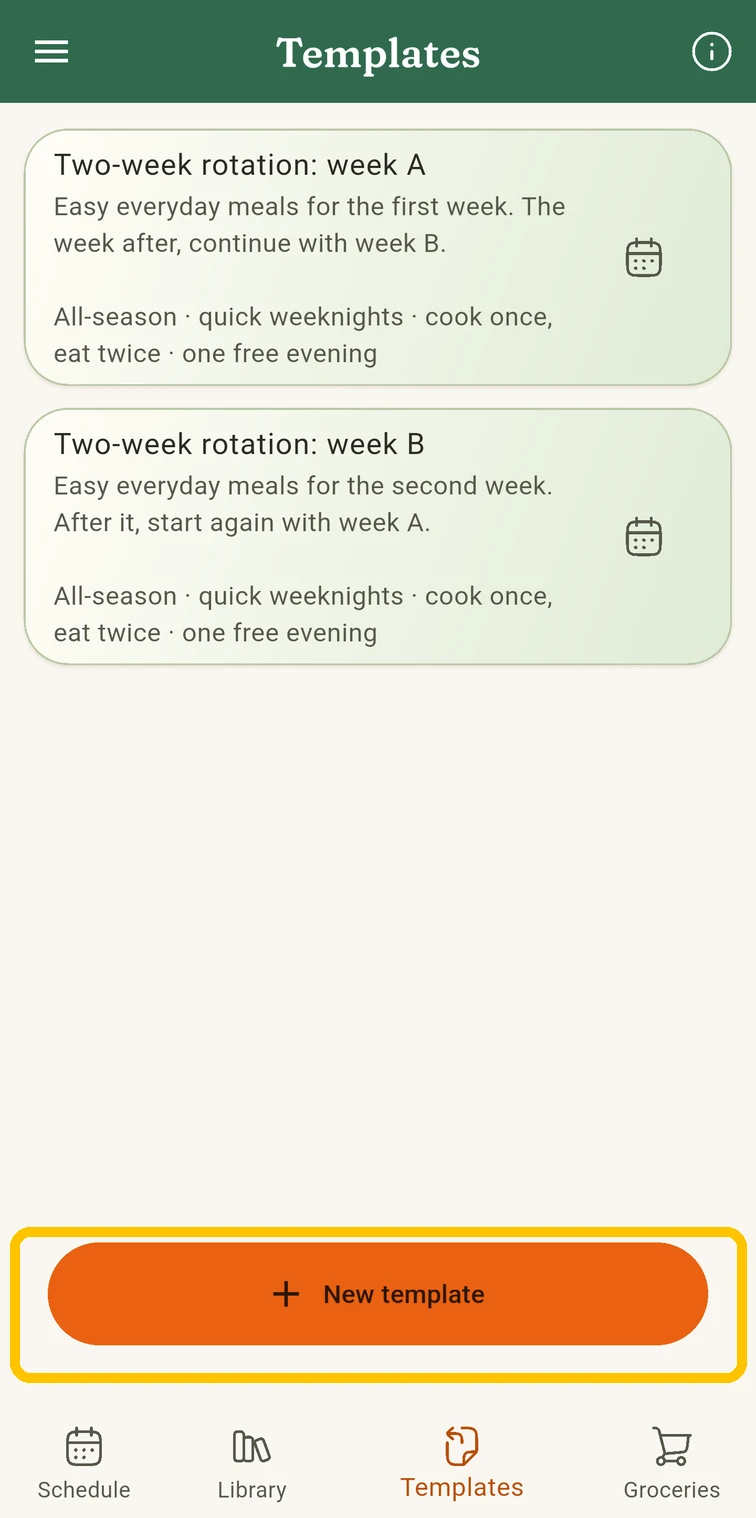 In Templates, tap New template
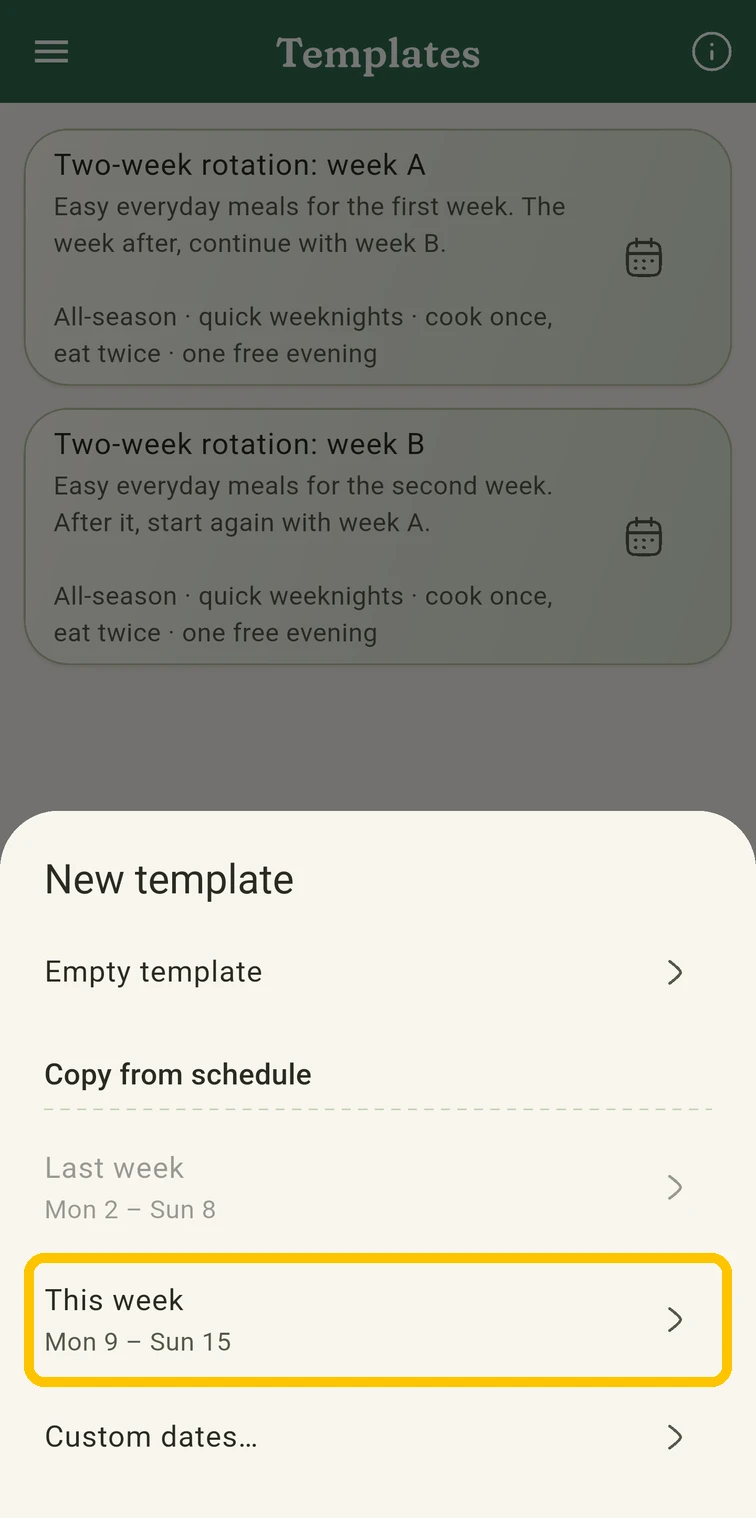 Copy This week from your schedule
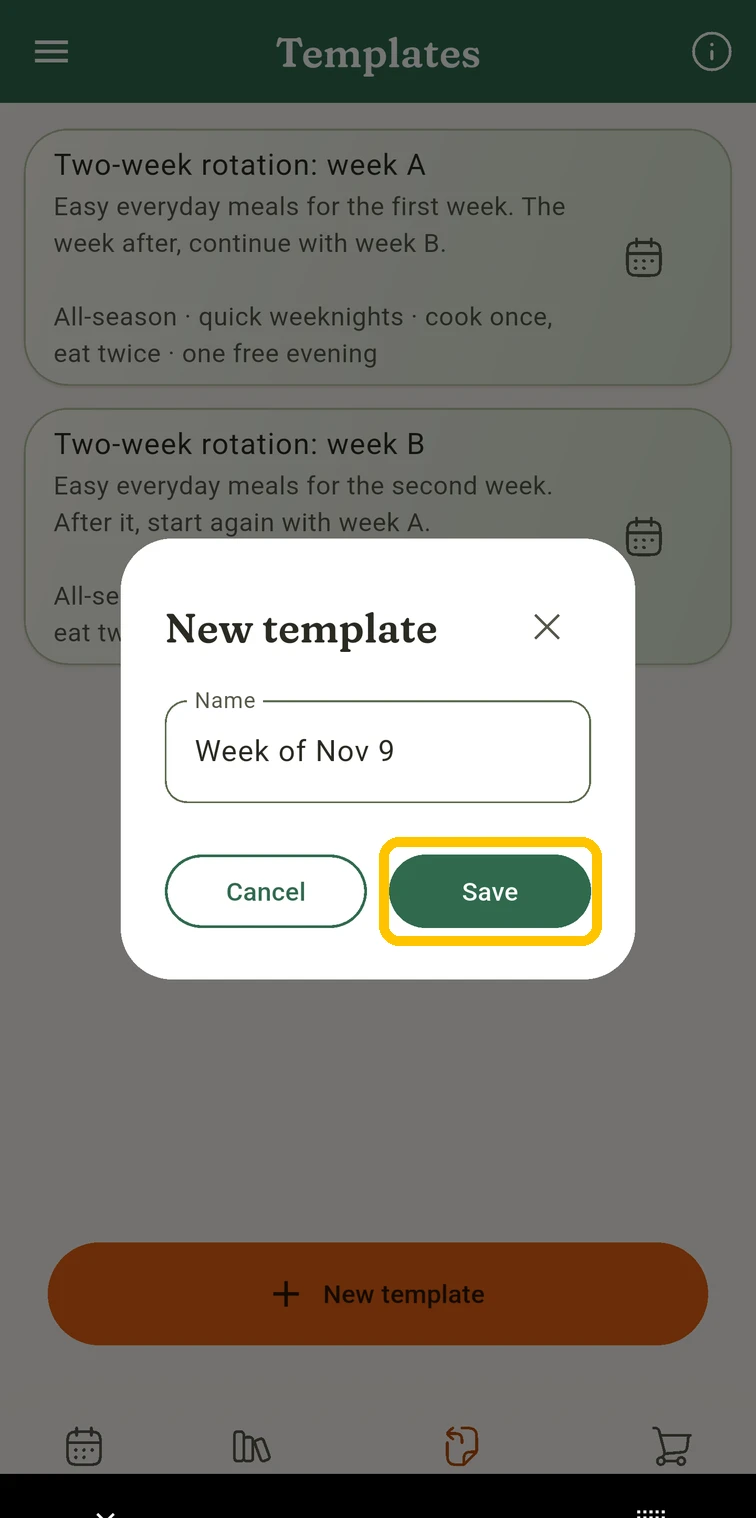 Give it a name and tap Save
Put it on a coming week
Tap the calendar icon on the template’s card, pick the day it should start and confirm. Any day works, not just Mondays, so a five-day holiday block fits in as easily as a full week.
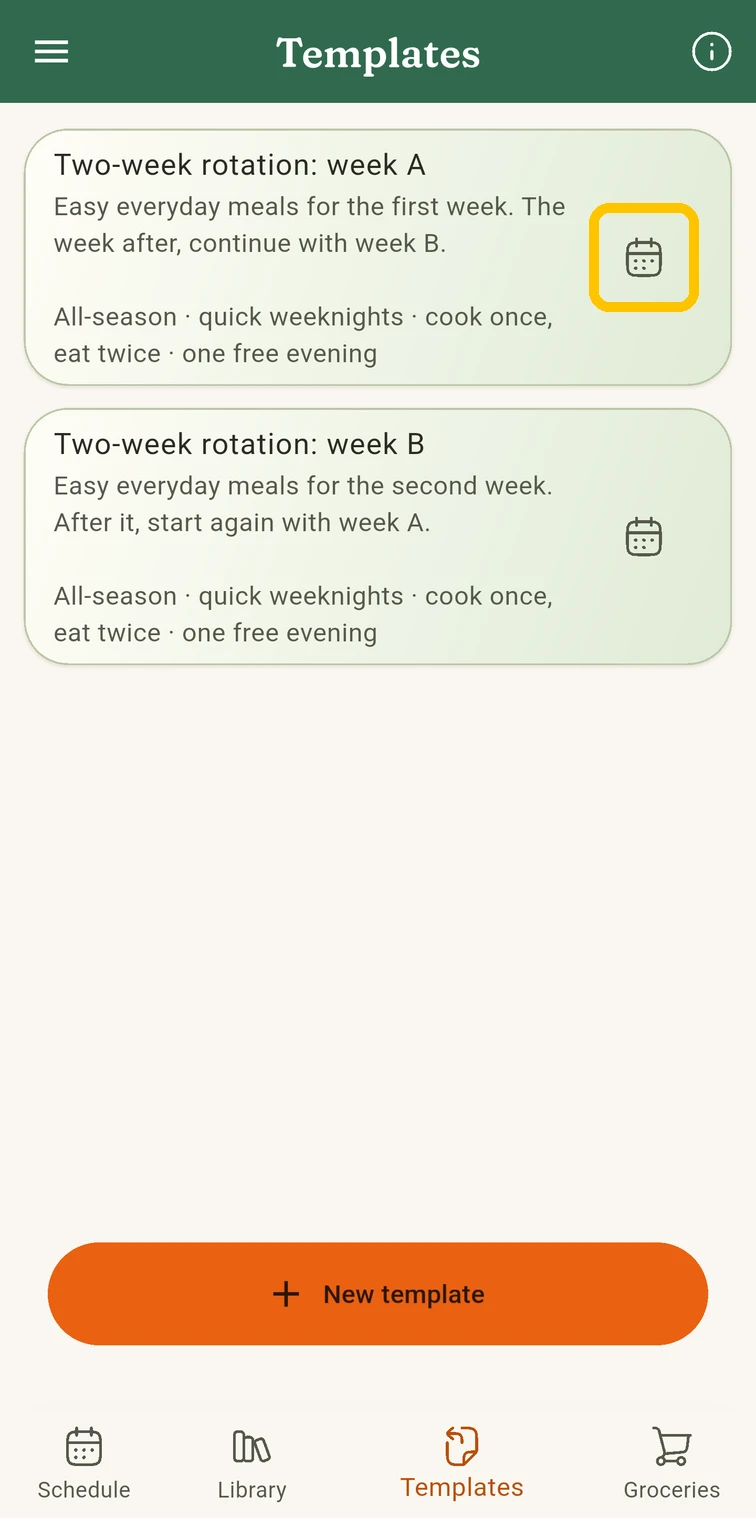 Tap the calendar icon on the template
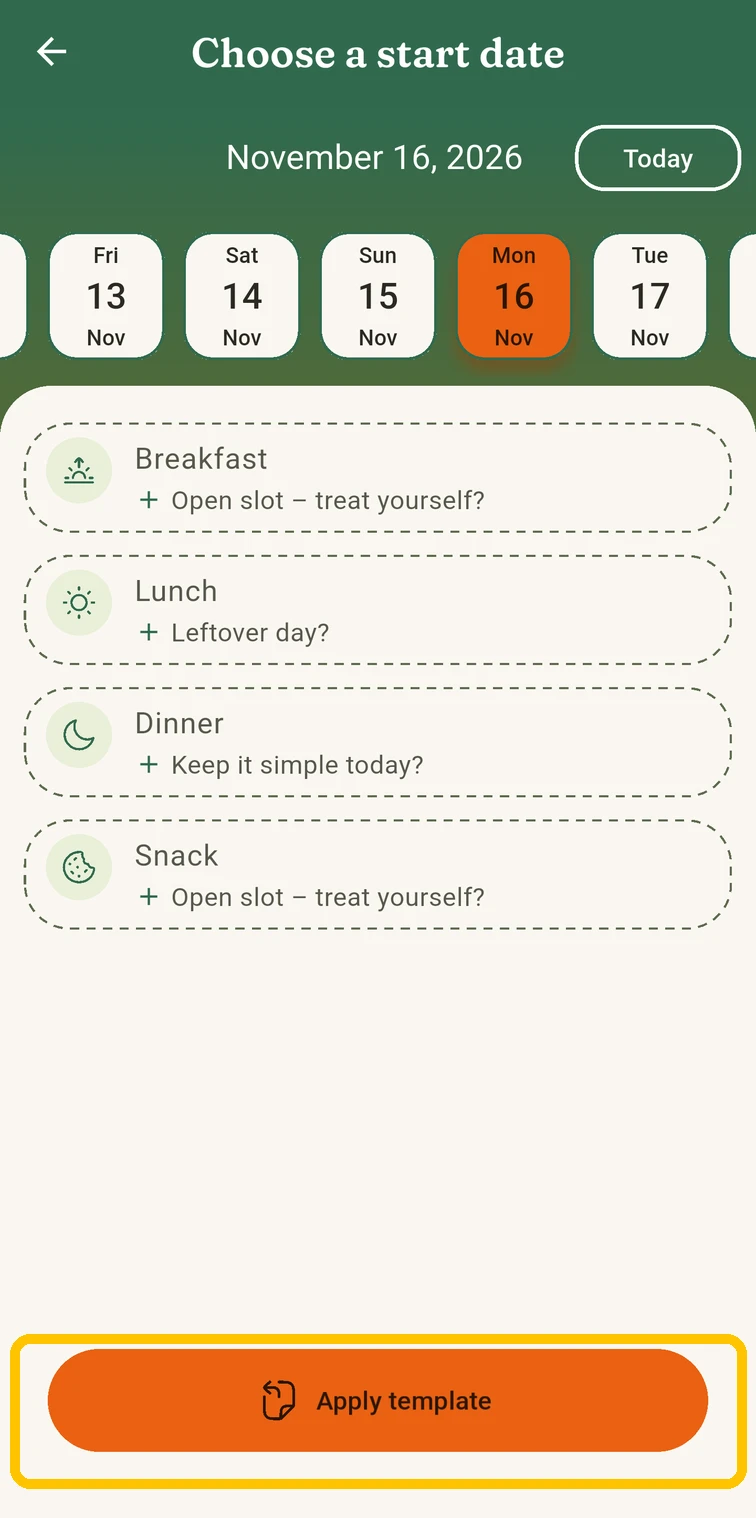 Pick the start day, tap Apply template
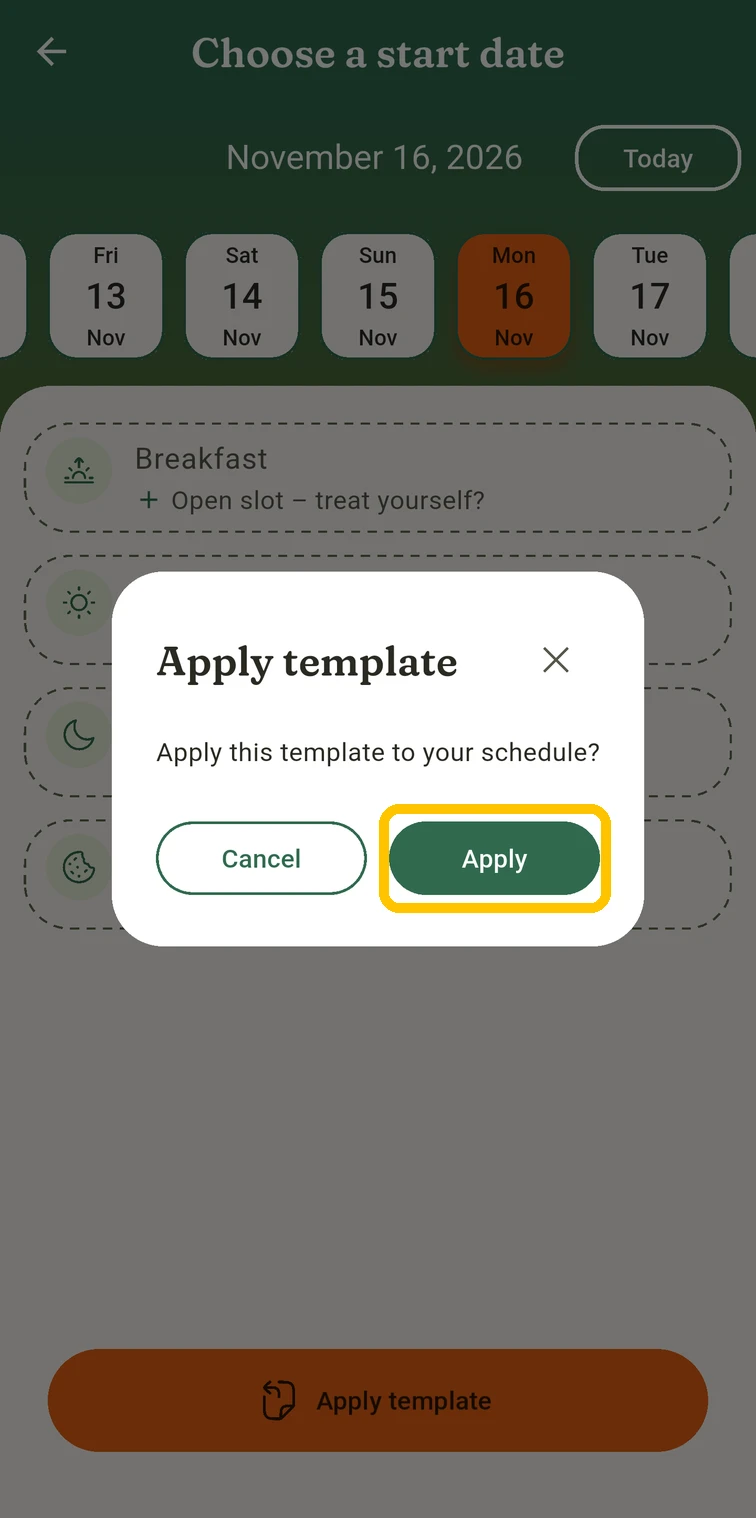 Confirm with Apply
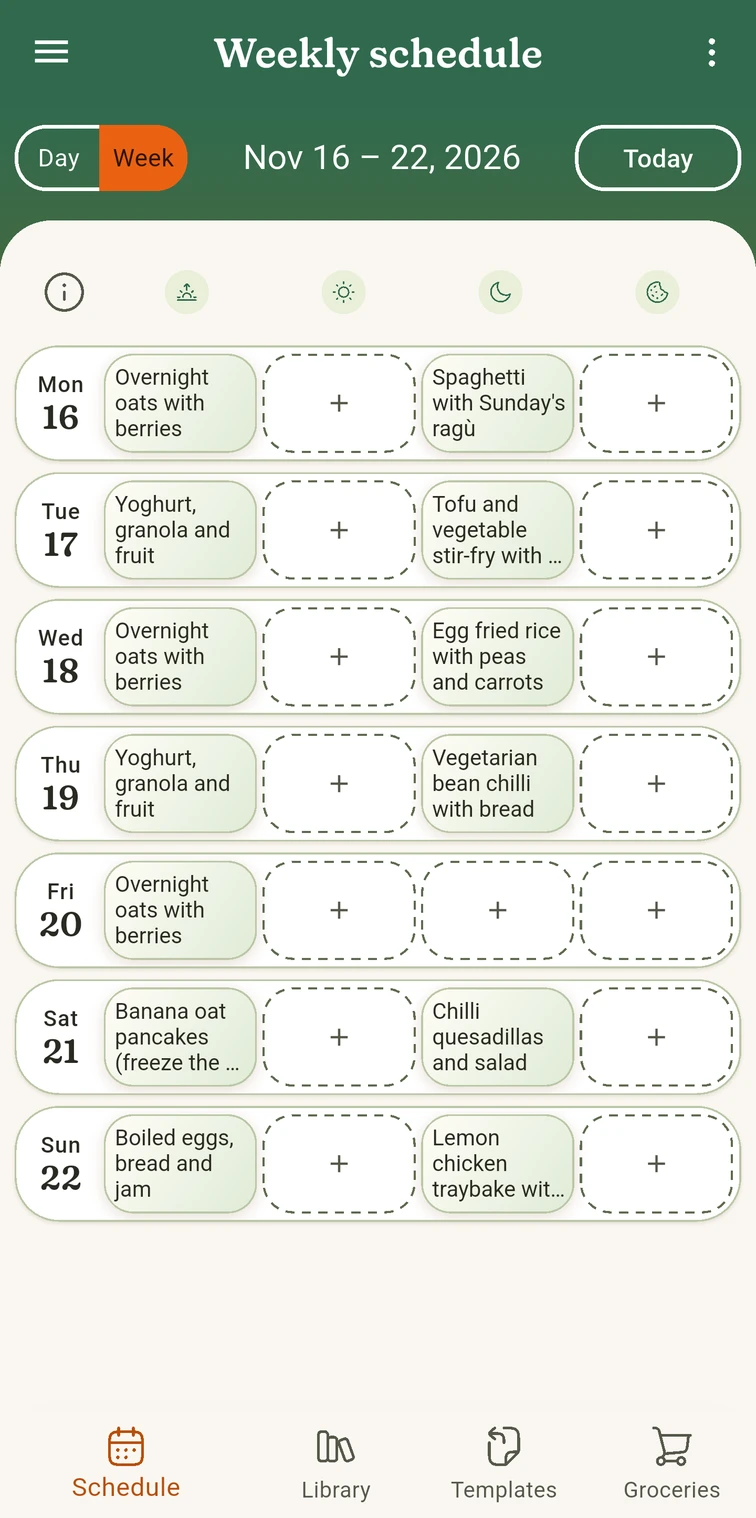 The week is in your schedule
The meals land in your schedule as normal planned meals, so swap, move or delete them as the week needs. The template stays as it is, ready for next time, and you can change it in the Templates tab whenever you like.
Good to know: applying adds the template’s meals to anything already planned on those days, it doesn’t replace it. If the days aren’t empty, clear them first, unless you like having a choice.
Turn it into a shopping list
In the Groceries tab, tap New shopping list and pick Next week, or Next 3 days, Rest of this week or Custom dates…. Every ingredient of every planned meal in that range lands on one list, grouped by aisle.
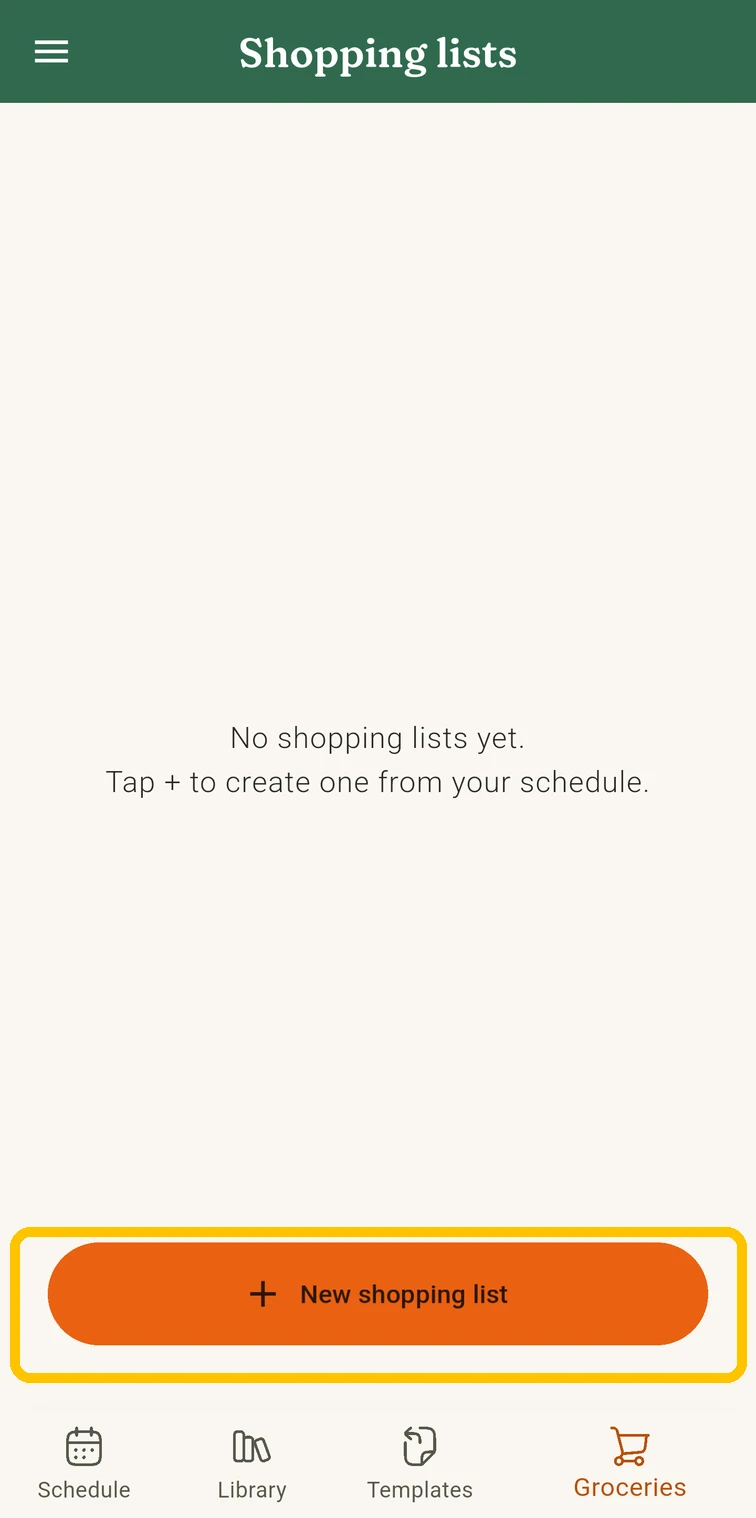 In Groceries, tap New shopping list
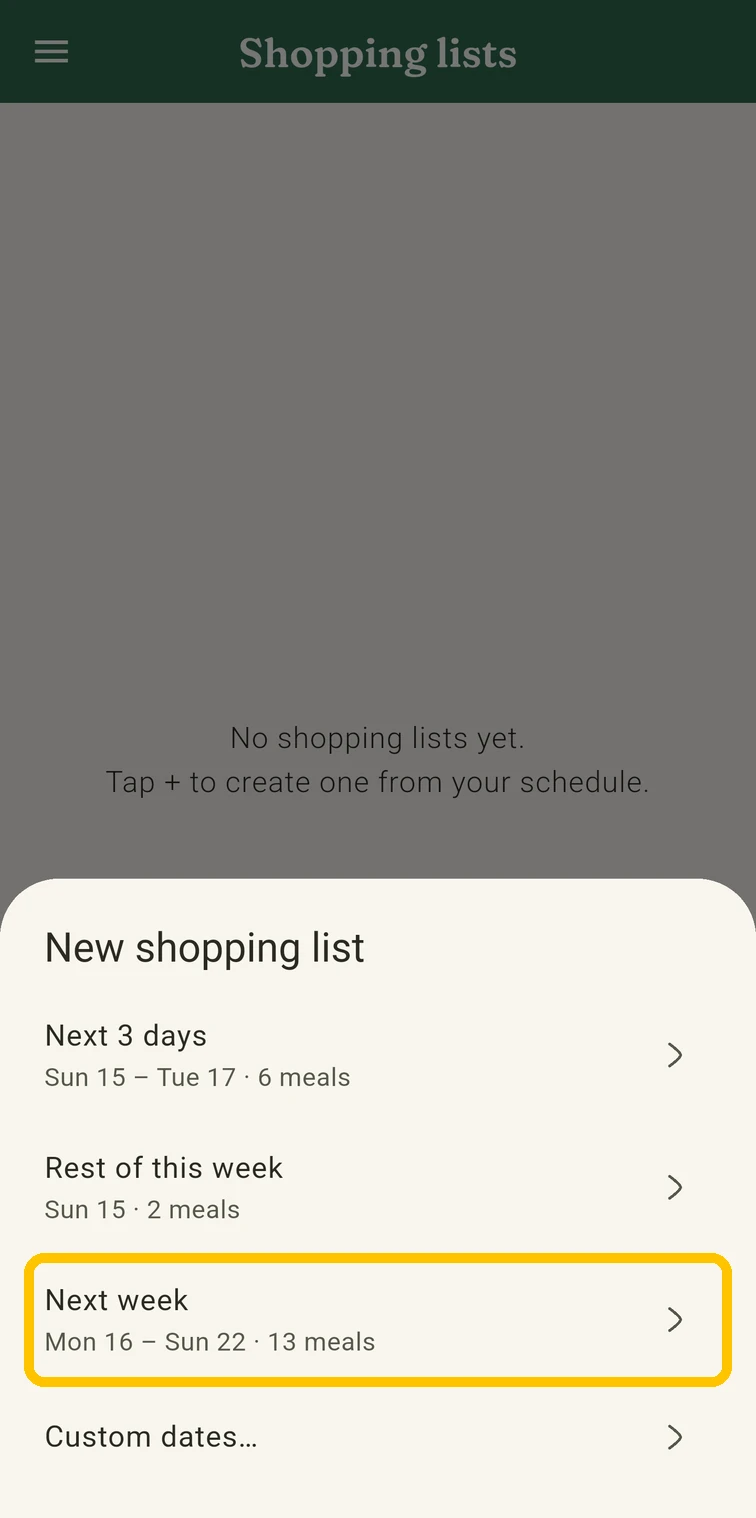 Pick Next week
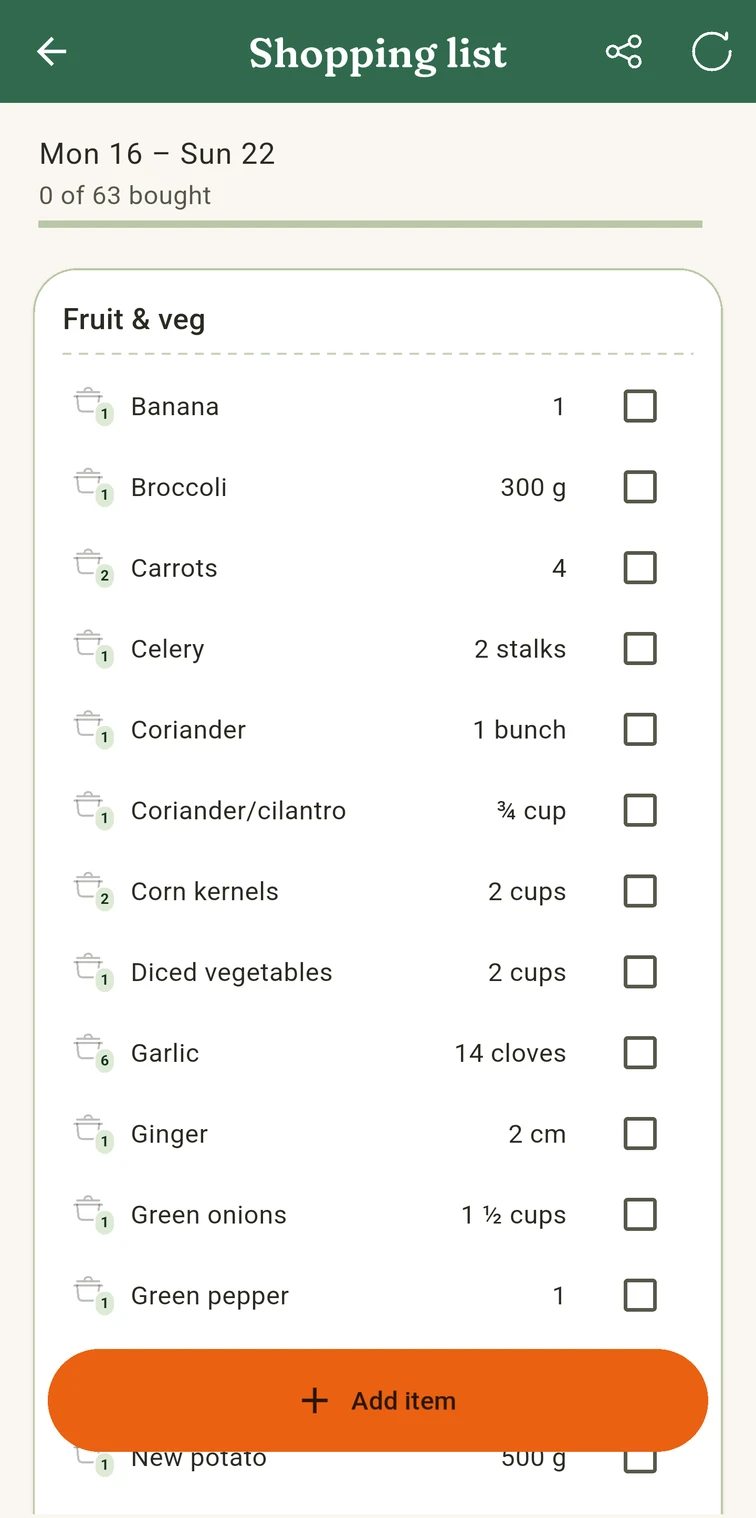 Your list, grouped by aisle
Because the list follows the plan, a rotation gives you a repeatable list too. After a few rounds you’ll know the shop by heart.
Two example rotations
Not sure where to start? Use one of these two-week rotations as a baseline and swap in your own regulars. Both include breakfast, mix quick and medium meals, share ingredients within each week, and plan the leftovers. Each one also comes as MealTwine templates you can download and import.
- All-season two-week rotation: everyday meals from chilli to dal, with notes for summer.
- Winter rotation with Christmas: soups, stews and rösti for December to February, plus a Christmas block you can drop into any week.
Here are the dinners of the all-season rotation at a glance:
| Week A | Week B | |
|---|---|---|
| Mon | Spaghetti with Sunday’s ragù | Chicken wraps with Sunday’s leftovers |
| Tue | Tofu and vegetable stir-fry with rice | Red lentil dal with rice (batch) |
| Wed | Egg fried rice | Spinach and potato frittata |
| Thu | Bean chilli (batch) | Dal with flatbread |
| Fri | Open slot | Pizza night |
| Sat | Chilli quesadillas | Open slot |
| Sun | Lemon chicken traybake | Ragù with polenta (batch) |
Share your rotation
Built a rotation you love? Send it to us at info.mealtwine@gmail.com, even as a simple list of dishes. We’d love to cook it ourselves, and with your permission we’ll add it to these guides as another example or simply enjoy the delicious meals.