
Account Deletion
This section describes the process for deleting your account and all associated data, including schedules, meals, templates, and user authentication data, from our Service. Please note that while the deletion process is initiated immediately, it may take some time for it to be fully effective. During this period, certain data related to purchases may still exist, but it will no longer be connected to your user account. We are continuously working to improve this process to ensure the highest level of data privacy and security.
Steps to Delete Your Account
Preliminary Steps
-
Log in to your account: Ensure you are logged in to your MealTwine account.
-
Check for Active Subscription: If you have a premium subscription, you need to cancel it first.
-
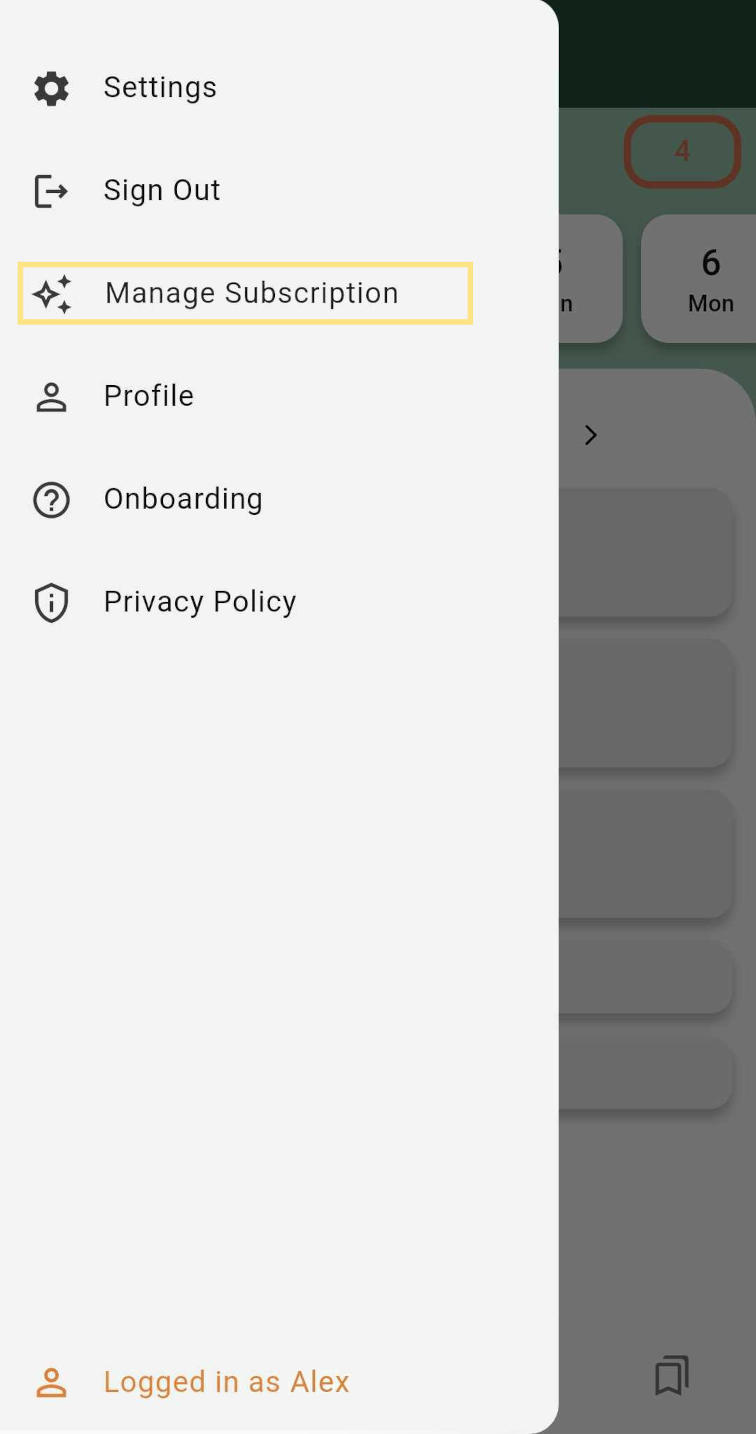
Go to Manage subscription: Open the menu and tap “Manage subscription”. It takes you to the app store you subscribed in, where you can cancel your subscription.
-
Cancel Subscription: Follow the prompts to cancel your subscription and wait until the subscription period ends before proceeding.
-
Go To Profile Steps
-
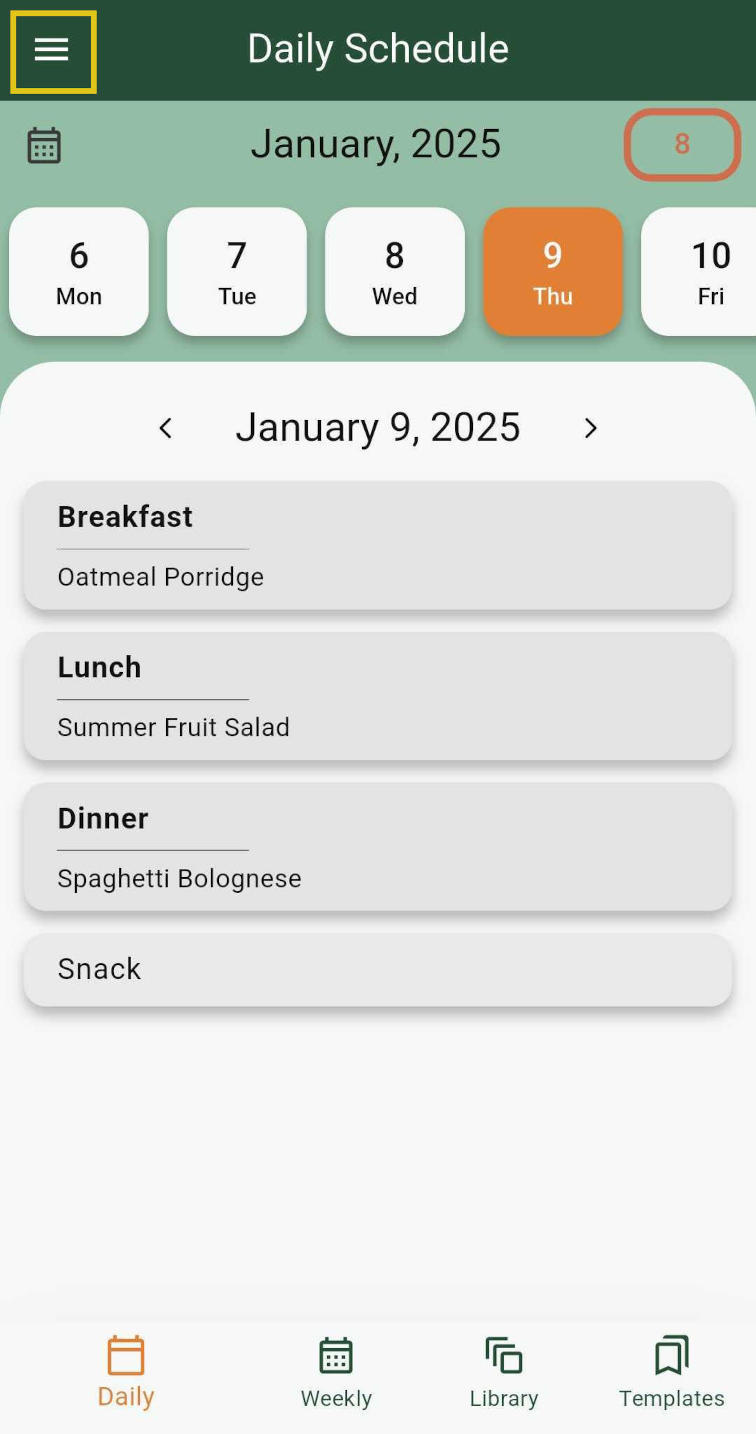
Go to the menu: Tap the menu icon in the top left corner of the screen.
-
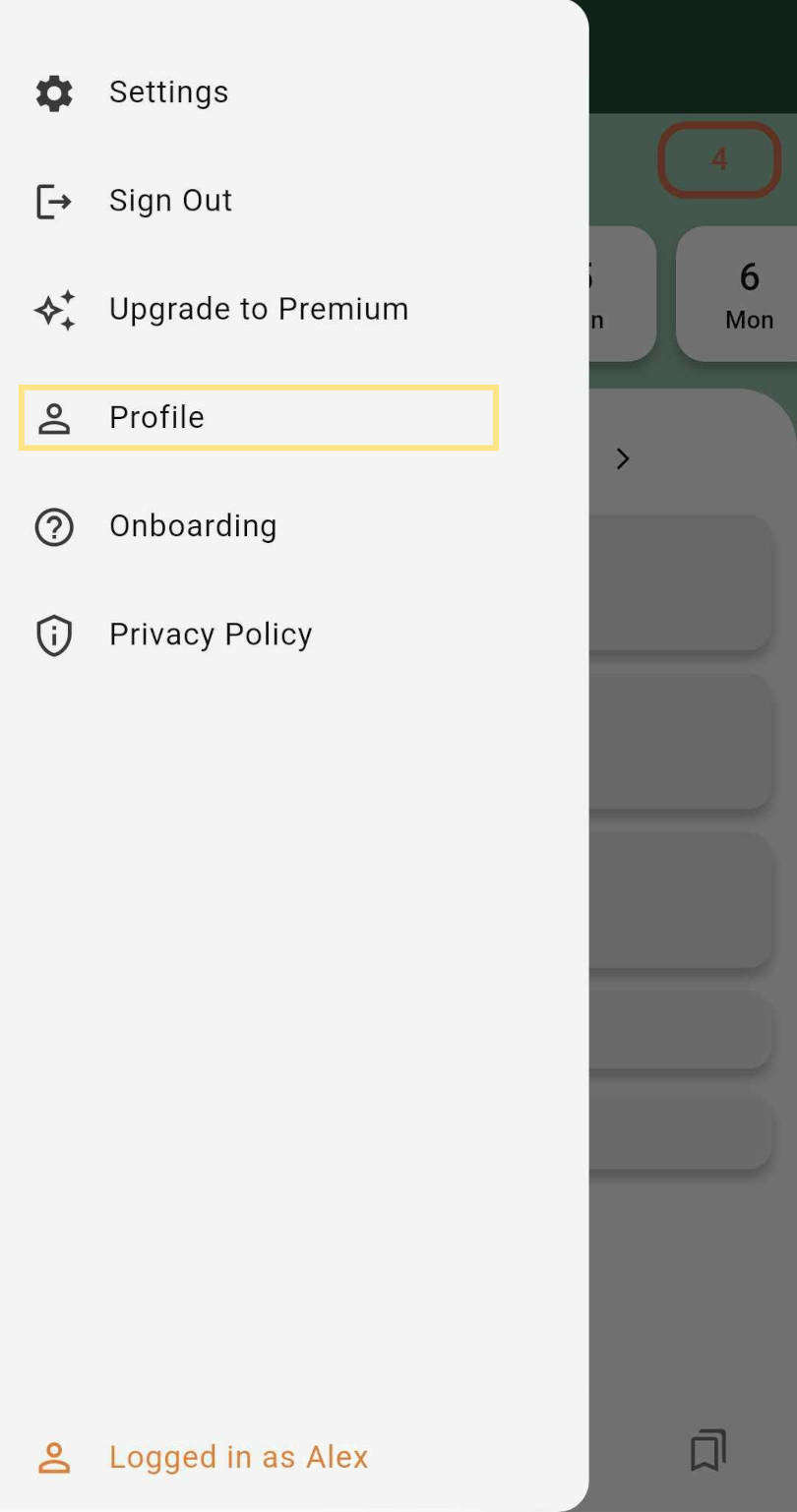
Navigate to Profile: Tap “Profile” in the menu.
Deletion Steps
-
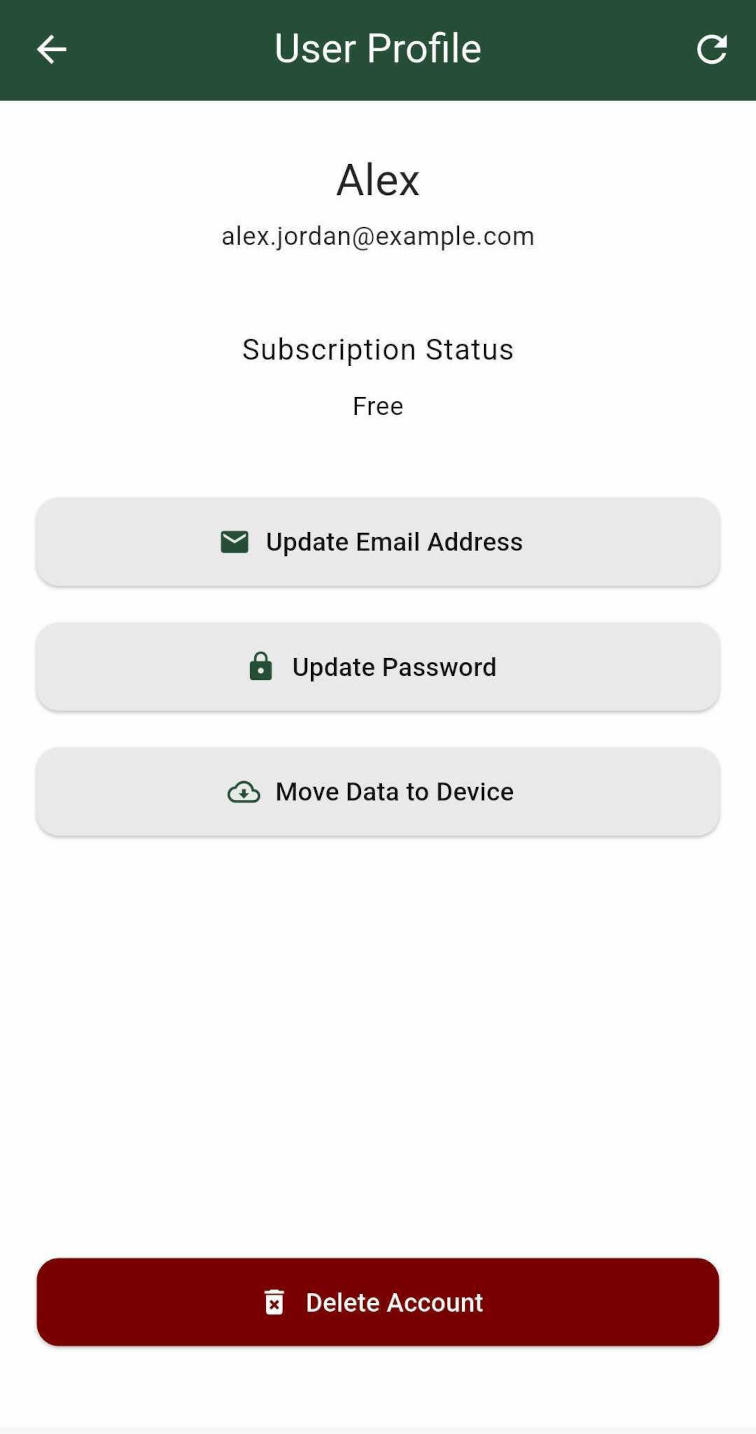
Tap Delete account: The “Delete account” button is at the bottom of the Profile screen.
-
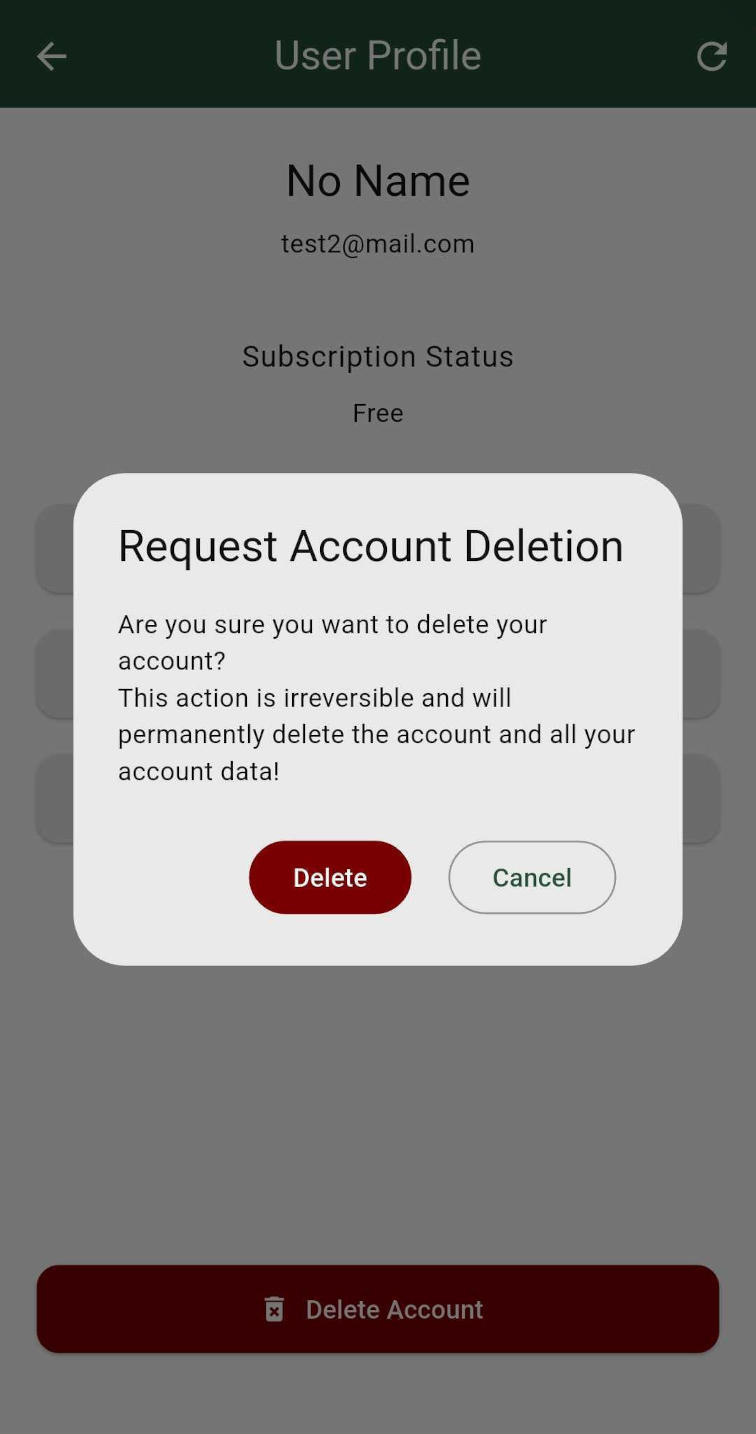
Confirm deletion: A dialog asks whether you want to delete your account. Tap “Delete” to proceed.
-
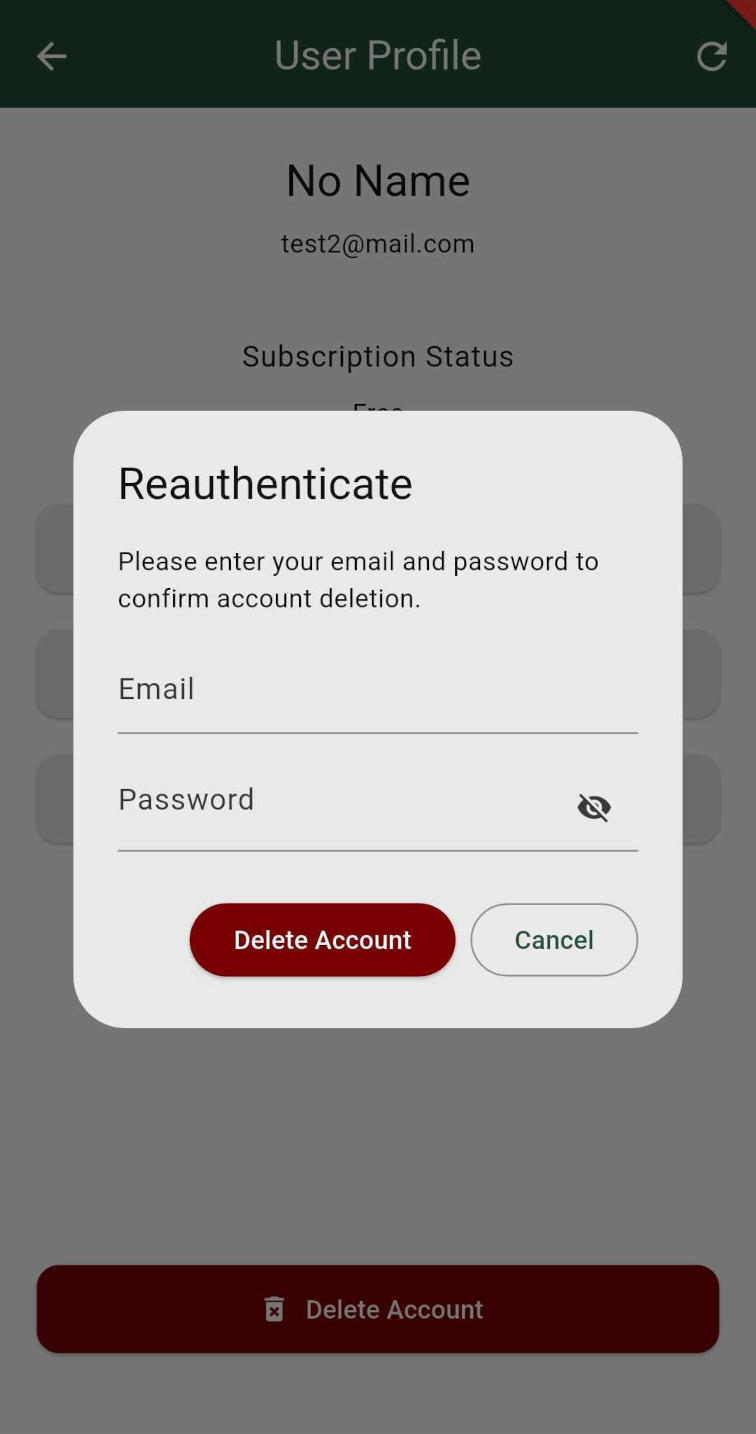
Confirm it’s you: Enter your email address and password, then tap “Delete account” to finalize the deletion.
Once you have completed these steps, your account and all associated data will be permanently deleted from our system. This action is permanent and irreversible. Please ensure you understand that this cannot be undone before proceeding.
If you encounter any issues or have any questions, please contact us at info.mealtwine@gmail.com.